
What is Bluetooth
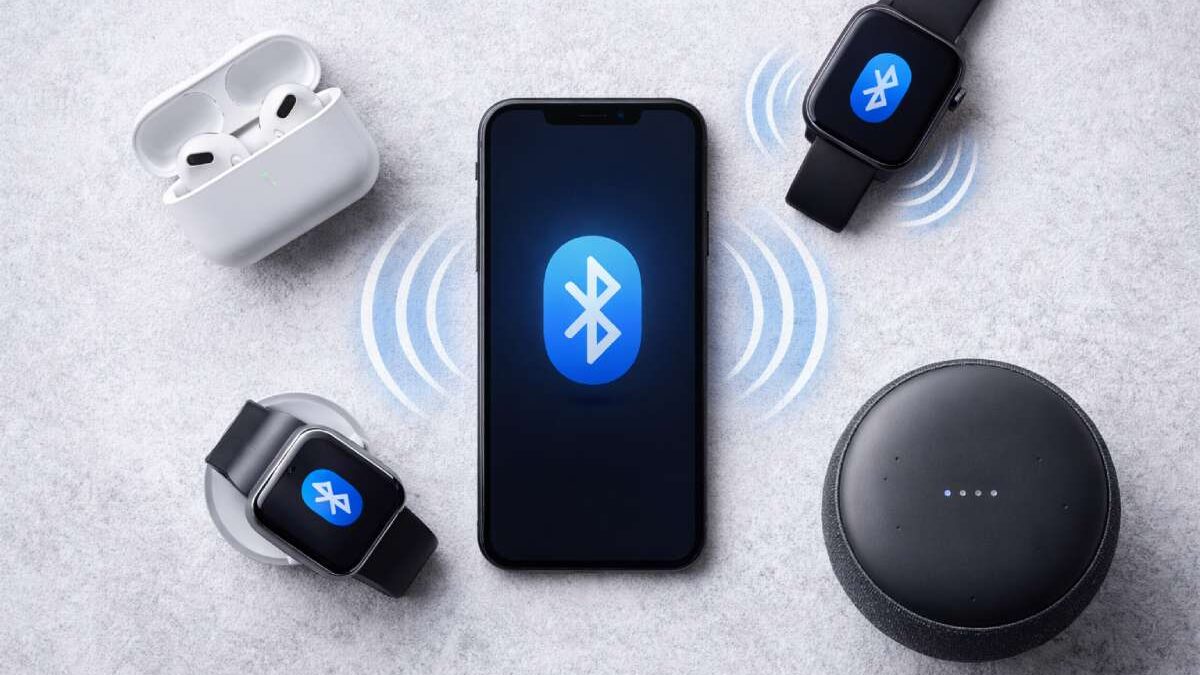
Bluetooth is a short-range wireless communication standard that enables devices to exchange data over short distances without cables. It’s built into billions of devices — phones, earbuds, speakers, keyboards, cars, medical devices, and an enormous range of Internet of Things (IoT) gadgets. The standard is maintained and evolved by the Bluetooth Special Interest Group. Bluetooth SIG. (For a technical overview, see the Bluetooth SIG resources.)
Table of Contents
How Bluetooth Works
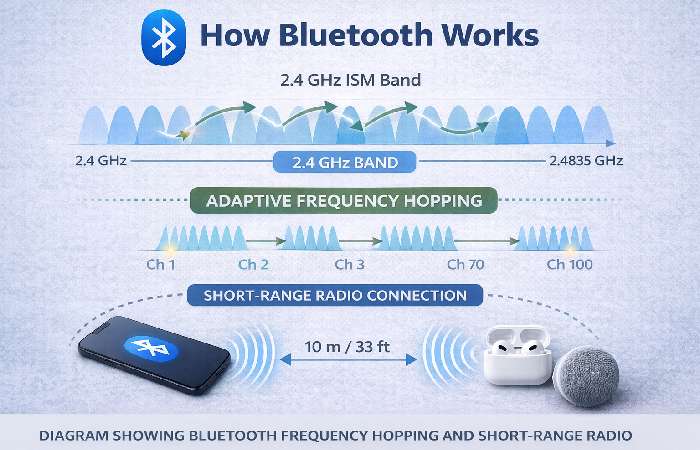
At its core, Bluetooth uses short-range radio in the 2.4 GHz ISM band and employs techniques such as adaptive frequency hopping to reduce interference and improve robustness. Bluetooth supports multiple connection modes: “Classic” Bluetooth (for continuous audio and serial connections) and Bluetooth Low Energy (BLE) for low-power sensor and IoT use. For a plain explanation of the radio basics and how devices discover and pair, see the government guidance on Bluetooth. CISA.
Bluetooth Versions & Key Improvements
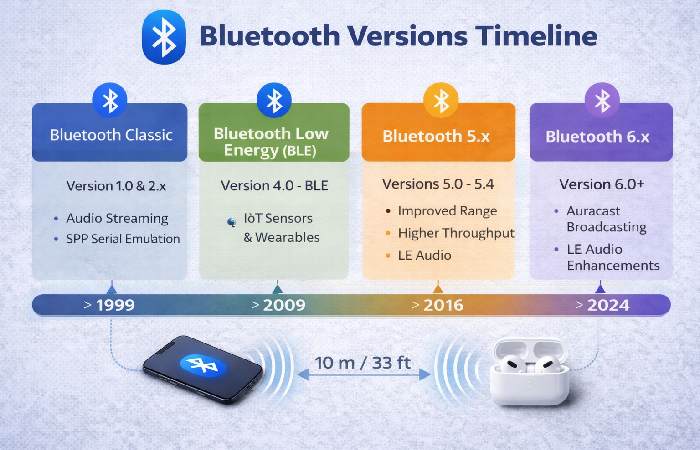
Bluetooth has evolved through many versions. Important milestones:
- Bluetooth Classic (early versions): audio streaming, serial emulation.
- Bluetooth Low Energy (BLE): introduced to support tiny battery-powered sensors and wearables.
- Bluetooth 5.x series: big improvements for range, throughput, power efficiency, and new features such as connection subrating and channel classification in later versions (5.2 / 5.3 / 5.4). Bluetooth 5.3 and later focus on connection reliability and power optimization, which is important for dense IoT deployments.
Core Protocols & Profiles
Bluetooth’s stack is layered. Key pieces:
- L2CAP — Logical Link Control and Adaptation Protocol: multiplexes higher-level protocols.
- RFCOMM — Serial port emulation (legacy support for many devices).
- GATT (Generic Attribute Profile) — BLE’s primary way to expose services and characteristics (sensors, heart rate monitors, etc.).
- Profiles such as A2DP (audio), HFP (hands-free), SPP (serial), and many more define how applications use the transport.
These are the plumbing that lets, for example, a fitness sensor talk to your phone without special drivers.
Common Uses & Real-World Examples
Bluetooth is everywhere. Common use cases:
- Audio: wireless headphones, earbuds, speakers (A2DP / LE Audio).
- Peripherals: keyboards, mice, game controllers.
- Health & Wearables: smartwatches, fitness trackers (BLE).
- Smart Home & IoT: door locks, beacons, environmental sensors.
- Automotive: phone integration, hands-free audio, and diagnostic connectivity. Industry reports show that Bluetooth is a major connectivity method for IoT devices worldwide, used in a significant share of connected gadgets.
Bluetooth Security — Risks & Recent Incidents
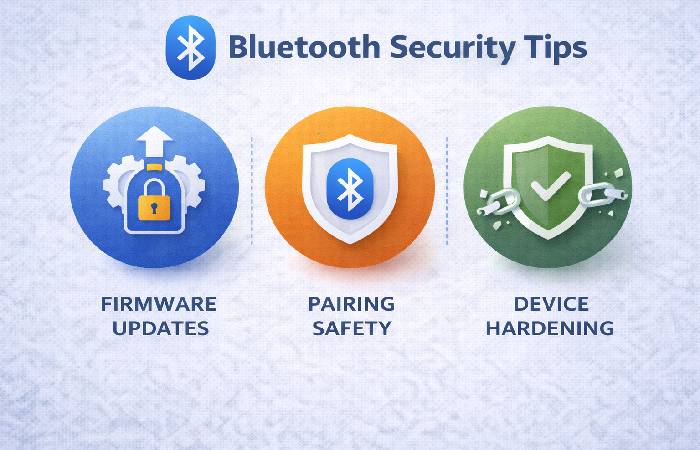
Bluetooth was designed with security options, but real-world risks arise from multiple factors: implementation errors, weak defaults, unpatched device firmware, and novel attack techniques developed by researchers.
Notable recent examples worth knowing:
- Research attacks such as Stealtooth demonstrated how automatic pairing behaviors can be abused to silently overwrite link keys in some devices, allowing hijacking of connections.
- Vendor/feature-specific bugs (e.g., vulnerabilities in widely used stacks affecting automotive systems, or Fast Pair protocol issues) have been disclosed in recent years and required coordinated vendor patches. Major reporting has covered Fast Pair / WhisperPair issues affecting many headphone models.
Because Bluetooth implementations run on millions of devices across consumer and critical infrastructure, such flaws can have an outsized impact when left unpatched. For the standard’s official stance and security resources, the Bluetooth SIG publishes security guidance and a vulnerability response program.
Why Vulnerabilities Happen
Bluetooth’s flexibility is also its complexity: thousands of pages of specifications and many optional features create a large attack surface. Developers sometimes choose convenient modes (automatic pairing, permissive profiles) that improve UX but reduce security. Wired and other analyses have repeatedly pointed out that complexity and inconsistent implementation lead to systemic risks. Wired.
[Analysis of Bluetooth complexity]
Practical Security Best Practices (Users & Admins)
For everyday users:
- Keep firmware and OS updated. Firmware updates from device makers fix many Bluetooth vulnerabilities; installing updates is the single most important step. (Source: vendor advisories / Bluetooth SIG guidance.)
[Bluetooth updates & guidance] - Turn Bluetooth off when not in use. Reduces passive exposure. Security analysts and agencies recommend this simple step.
- Avoid pairing in public places and be cautious when accepting pairing requests. Unsolicited pairing requests are a warning sign.
- Check device names & MACs when pairing (ensure you pair the expected device). Many “rogue device” attacks rely on impersonation.
For developers & integrators:
- Use the strongest security modes supported by the spec and follow the Bluetooth SIG security best practices.
- Avoid insecure defaults like automatic pairing without user confirmation.
- Perform regular security testing (fuzzing, protocol testing) and respond quickly to CVEs. Government and industry guidance recommend robust lifecycle security controls.
[US guidance on Bluetooth security modes]
Device Compatibility & Troubleshooting Tips
- If devices won’t pair: toggle Bluetooth off/on on both ends, forget device, restart, ensure latest firmware, check OS Bluetooth settings.
- If audio stutters: try moving away from Wi-Fi hotspots or other 2.4 GHz interference and ensure both devices support the same audio codecs.
- Battery drain issues: check whether the device is using Classic vs BLE and whether a firmware bug is causing an excessive wake/scan loop.
Sample Setup: Pairing a Headset (walkthrough)
- Enable pairing mode on the headset (usually by holding the power button).
- On your phone: Settings → Bluetooth → Discoverable devices → choose the correct device name. Verify any displayed PIN.
- Complete pairing; check audio connection and allowed permissions (contacts, call audio).
- If using “Fast Pair” or vendor pairing flows, ensure you accept the pairing only from verified vendor prompts and, when prompted, update firmware.
Frequently Asked Questions (FAQ)
Q: Is Bluetooth safe to use?
A: Generally, yes — when devices are kept updated, and users follow pairing best practices. However, unpatched devices, permissive defaults, and some vendor features can increase risk. See official guidance from the Bluetooth SIG for developer recommendations.
Q: What is the difference between Bluetooth Classic and BLE?
A: Classic is optimized for continuous streams (audio), while BLE is optimized for low-power intermittent transmissions (sensors). BLE uses GATT to expose services.
Q: How far can Bluetooth reach?
A: Range depends on power class and version — typical consumer devices are designed for a few meters up to ~100 m with special hardware and favorable conditions. Later versions improved range and broadcasting capabilities.
Q: Should I trust automatic pairing features like Fast Pair?
A: These features improve UX but have introduced novel security considerations; always install vendor firmware updates and follow vendor advisories. Recent research and disclosure show that such features can be abused when devices are unpatched.
Key Takeaway & Conclusion
Bluetooth is a versatile, ubiquitous wireless standard that powers audio, peripherals, and an expanding Internet of Things ecosystem. Its continued evolution (BLE, LE Audio, Auracast, improved 5.x/6.x features) improves power efficiency, audio quality, and network resilience — but complexity and the enormous installed base mean security remains a real operational concern. Keep devices updated, disable Bluetooth when idle, and follow vendor/security guidance to enjoy the convenience while minimizing risk. Official developer guidance and rapid vendor patching are crucial to long-term safety.