


In today’s multi-device ecosystem, users access websites and web applications through smartphones, tablets, desktops, smart TVs, and even foldable devices. A single rendering issue, broken layout, or performance bottleneck can significantly reduce engagement and conversions. This is where Web Device Testing becomes mission-critical.
Web Device Testing refers to the systematic process of validating a website or web application across multiple devices, operating systems, screen sizes, and browsers to ensure functional accuracy, visual consistency, performance stability, and security compliance.
This guide provides a comprehensive, research-driven analysis of Web Device Testing, including tools, methodologies, cost comparisons, frameworks, device coverage strategies, automation models, and emerging trends.
Table of Contents
Why Web Device Testing Is Essential in 2026
Modern digital users expect:
- Instant load times
- Pixel-perfect UI rendering
- Seamless functionality
- Secure transactions
- Responsive layouts
Failure in any of these areas can result in:
- Higher bounce rates
- Lower SEO rankings
- Reduced conversions
- Negative brand perception
- Revenue loss
Device Fragmentation Reality
Consider the diversity:
- Android devices across dozens of manufacturers
- iOS devices with varying resolutions
- Windows, macOS, Linux desktops
- Chrome, Safari, Firefox, Edge
- Tablets, foldables, ultra-wide monitors
Without structured Web Device Testing, consistency becomes impossible. Cross-browser testing ensures websites function consistently across operating systems and browsers, helping teams detect layout or functionality issues before users encounter them: cross-browser testing overview.
Types of Web Device Testing
Web Device Testing is not limited to visual validation. It encompasses multiple validation layers.
| Testing Type | Objective | Example |
| Functional Testing | Validate features and workflows | Login, checkout, form submission |
| UI/UX Testing | Ensure layout consistency | Responsive grids on mobile |
| Compatibility Testing | Browser + OS validation | Chrome on Android 14 |
| Performance Testing | Load time, resource usage | First Contentful Paint |
| Security Testing | Identify vulnerabilities | HTTPS validation |
| Accessibility Testing | WCAG compliance | Screen reader compatibility |
Real Device vs Emulator Testing
One of the most debated topics in Web Device Testing is whether to use real devices or emulators.
Real Device Testing
Advantages
- Accurate rendering
- Real network conditions
- Hardware-level performance metrics
- True user simulation
Limitations
- Higher cost
- Device maintenance
- Infrastructure requirement
Emulator / Simulator Testing
Advantages
- Cost-effective
- Scalable
- Fast test cycles
- CI/CD integration
Limitations
- Inaccurate GPU rendering
- Limited hardware simulation
- Network conditions are artificial
Comparison Table
| Parameter | Real Devices | Emulators |
| Accuracy | High | Moderate |
| Cost | High | Low |
| Speed | Slower | Faster |
| Maintenance | Required | Minimal |
| CI/CD Integration | Moderate | Strong |
Popular Web Device Testing Tools
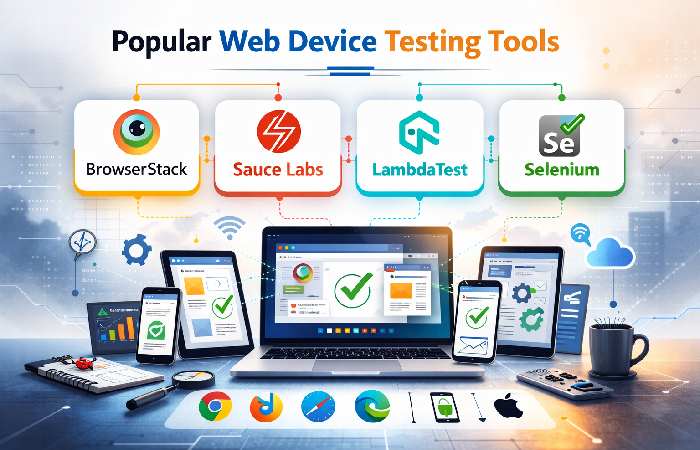
Below are industry-leading tools widely adopted by QA teams:
1. BrowserStack
- Real device cloud testing
- 3000+ real browsers & devices
- Automation support (Selenium, Cypress)
- Pricing starts around $29/month
2. Sauce Labs
- Real device and virtual cloud
- CI/CD optimized
- Enterprise-grade reporting
3. LambdaTest
- Cross-browser testing
- Live + automated
- Affordable entry pricing
4. Selenium
- Open-source
- Highly customizable
- Supports multiple languages
Tool Pricing Comparison (Estimated Monthly Plans)
| Tool | Starter Plan | Mid Tier | Enterprise |
| BrowserStack | $29 | $99 | Custom |
| Sauce Labs | $39 | $149 | Custom |
| LambdaTest | $15 | $79 | Custom |
| Selenium | Free | Free | Infra Cost |
Cost Distribution Pie Chart (Example Enterprise Setup)
If an organization allocates $10,000/month toward testing:
- 40% – Cloud device access
- 25% – Automation engineering
- 15% – CI/CD integration
- 10% – Reporting tools
- 10% – Device maintenance
This allocation reflects typical mid-sized SaaS company distribution.
Responsive Testing Strategy
A robust strategy includes:
Device Matrix Creation
Create a matrix based on:
- Market share
- User analytics
- Geography
- Device popularity
Example:
| Device | OS | Browser | Priority |
| iPhone 15 | iOS 17 | Safari | High |
| Samsung S24 | Android 14 | Chrome | High |
| Windows 11 PC | Win 11 | Edge | Medium |
| iPad Pro | iPadOS | Safari | Medium |
Breakpoint Validation
Common responsive breakpoints:
- 320px – Small mobile
- 768px – Tablet
- 1024px – Small desktop
- 1440px – Large desktop
Testing includes:
- Navigation collapse
- Image scaling
- Text wrapping
- Button alignment
Automation in Web Device Testing
Manual testing alone is insufficient for continuous deployment environments.
Automation Frameworks Commonly Used:
- Selenium Grid
- Cypress
- Playwright
- Appium (for hybrid apps)
Automation allows:
- Parallel execution
- Nightly regression runs
- Performance benchmarking
- Faster release cycles
Performance Metrics That Matter
Performance validation across devices should include:
| Metric | Target Value |
| First Contentful Paint (FCP) | < 1.8 sec |
| Largest Contentful Paint (LCP) | < 2.5 sec |
| Time to Interactive (TTI) | < 3 sec |
| Total Blocking Time | < 200 ms |
| Cumulative Layout Shift | < 0.1 |
Poor performance on mid-range Android devices is one of the most common overlooked issues.
Manual vs Automated Testing Cost Analysis
| Factor | Manual | Automated |
| Initial Cost | Low | High |
| Long-Term Cost | High | Lower |
| Scalability | Limited | High |
| Regression Speed | Slow | Fast |
| Human Error | Possible | Minimal |
Conclusion: Hybrid models offer optimal ROI.
Common Web Device Testing Challenges
- Device fragmentation
- OS updates
- Browser version variations
- Screen density differences
- Network variability
- Hardware acceleration issues
- Caching inconsistencies
Mitigation strategies include:
- Real-time monitoring
- Staged rollouts
- Beta testing groups
- Cloud device farms
SEO Impact of Web Device Testing
Search engines prioritize:
- Mobile-first indexing
- Page speed
- Core Web Vitals
- Accessibility compliance
Failure in device optimization directly affects:
- Organic rankings
- Crawlability
- Engagement metrics
Google’s mobile-first algorithm updates emphasize device compatibility more than ever.
Google confirms that it primarily uses the mobile version of a website for indexing and ranking, making cross-device compatibility critical for visibility: Google mobile-first indexing documentation.
Accessibility Testing in Web Device Testing
Accessibility validation ensures compliance with WCAG 2.2 standards.
Checklist includes:
- Proper contrast ratios
- Keyboard navigation
- ARIA labels
- Screen reader compatibility
- Alt text implementation
Tools often integrated:
- Axe DevTools
- Lighthouse
- Wave Accessibility
Cloud vs In-House Testing Infrastructure
| Criteria | Cloud | In-House |
| Setup Time | Immediate | Weeks |
| Maintenance | Vendor | Internal |
| Scalability | High | Limited |
| Security Control | Shared | Full |
| Cost | Subscription | Capital Investment |
Mid-size startups prefer cloud due to flexibility.
Enterprises with compliance requirements may opt for hybrid models.
Step-by-Step Web Device Testing Workflow
- Requirement Analysis
- Device Matrix Finalization
- Test Case Design
- Environment Setup
- Manual Validation
- Automation Implementation
- Performance Benchmarking
- Bug Reporting
- Retesting
- Release Approval
Industry Trends in 2026
AI-Powered Test Automation
Machine learning models detect UI anomalies automatically.
Shift-Left Testing
Testing earlier in development lifecycle.
Continuous Testing Pipelines
Integrated DevOps testing environments.
Edge Device Testing
Testing for IoT and smart displays.
Web Device Testing for E-Commerce
E-commerce platforms face unique risks:
- Checkout errors
- Payment gateway compatibility
- Cart persistence
- Session timeout issues
A single device-specific checkout bug can cost thousands in lost revenue daily.
Testing Frequency Recommendation
| Release Model | Testing Frequency |
| Weekly Release | Full regression weekly |
| Agile Sprint | End of sprint |
| CI/CD | Automated per commit |
| Enterprise Release | Staging + UAT |
ROI of Effective Web Device Testing
Organizations implementing structured testing observe:
- 35–60% reduction in post-release defects
- 25% faster release cycles
- Improved customer retention
- Reduced support tickets
- Better SEO ranking stability
Final Thoughts
Web Device Testing is no longer optional. It is foundational to digital success. As device diversity expands and user expectations increase, structured multi-layer testing becomes critical for stability, scalability, and competitive advantage.
Organizations that invest in hybrid testing models, automation frameworks, real-device validation, and performance benchmarking gain measurable ROI through improved reliability and customer trust.
Whether you operate a startup, SaaS platform, or enterprise system, implementing a comprehensive Web Device Testing strategy ensures:
- Seamless user experience
- Higher search visibility
- Lower defect rates
- Sustainable digital growth
In 2026 and beyond, device compatibility defines brand credibility.