


Meet the people behind this publication


In today’s multi-device ecosystem, users access websites and web applications through smartphones, tablets, desktops, smart TVs, and even foldable devices. A single rendering issue, broken layout, or performance bottleneck can significantly reduce engagement and conversions. This is where Web Device Testing becomes mission-critical.
Web Device Testing refers to the systematic process of validating a website or web application across multiple devices, operating systems, screen sizes, and browsers to ensure functional accuracy, visual consistency, performance stability, and security compliance.
This guide provides a comprehensive, research-driven analysis of Web Device Testing, including tools, methodologies, cost comparisons, frameworks, device coverage strategies, automation models, and emerging trends.
This article belongs in Software Apps & Digital PlatformsTable of Contents
Why Web Device Testing Is Essential in 2026
Modern digital users expect:
- Instant load times
- Pixel-perfect UI rendering
- Seamless functionality
- Secure transactions
- Responsive layouts
Failure in any of these areas can result in:
- Higher bounce rates
- Lower SEO rankings
- Reduced conversions
- Negative brand perception
- Revenue loss
Device Fragmentation Reality
Consider the diversity:
- Android devices across dozens of manufacturers
- iOS devices with varying resolutions
- Windows, macOS, Linux desktops
- Chrome, Safari, Firefox, Edge
- Tablets, foldables, ultra-wide monitors
Without structured Web Device Testing, consistency becomes impossible. Cross-browser testing ensures websites function consistently across operating systems and browsers, helping teams detect layout or functionality issues before users encounter them: cross-browser testing overview.
Types of Web Device Testing
Web Device Testing is not limited to visual validation. It encompasses multiple validation layers.
| Testing Type | Objective | Example |
| Functional Testing | Validate features and workflows | Login, checkout, form submission |
| UI/UX Testing | Ensure layout consistency | Responsive grids on mobile |
| Compatibility Testing | Browser + OS validation | Chrome on Android 14 |
| Performance Testing | Load time, resource usage | First Contentful Paint |
| Security Testing | Identify vulnerabilities | HTTPS validation |
| Accessibility Testing | WCAG compliance | Screen reader compatibility |
Real Device vs Emulator Testing
One of the most debated topics in Web Device Testing is whether to use real devices or emulators.
Real Device Testing
Advantages
- Accurate rendering
- Real network conditions
- Hardware-level performance metrics
- True user simulation
Limitations
- Higher cost
- Device maintenance
- Infrastructure requirement
Emulator / Simulator Testing
Advantages
- Cost-effective
- Scalable
- Fast test cycles
- CI/CD integration
Limitations
- Inaccurate GPU rendering
- Limited hardware simulation
- Network conditions are artificial
Comparison Table
| Parameter | Real Devices | Emulators |
| Accuracy | High | Moderate |
| Cost | High | Low |
| Speed | Slower | Faster |
| Maintenance | Required | Minimal |
| CI/CD Integration | Moderate | Strong |
Popular Web Device Testing Tools
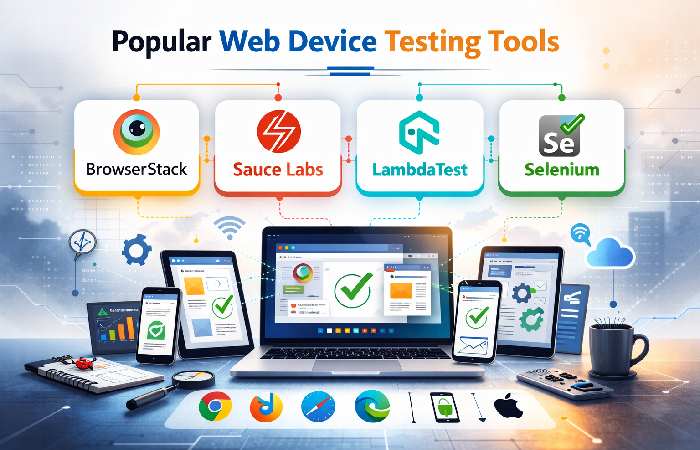
Below are industry-leading tools widely adopted by QA teams:
1. BrowserStack
- Real device cloud testing
- 3000+ real browsers & devices
- Automation support (Selenium, Cypress)
- Pricing starts around $29/month
2. Sauce Labs
- Real device and virtual cloud
- CI/CD optimized
- Enterprise-grade reporting
3. LambdaTest
- Cross-browser testing
- Live + automated
- Affordable entry pricing
4. Selenium
- Open-source
- Highly customizable
- Supports multiple languages
Tool Pricing Comparison (Estimated Monthly Plans)
| Tool | Starter Plan | Mid Tier | Enterprise |
| BrowserStack | $29 | $99 | Custom |
| Sauce Labs | $39 | $149 | Custom |
| LambdaTest | $15 | $79 | Custom |
| Selenium | Free | Free | Infra Cost |
Cost Distribution Pie Chart (Example Enterprise Setup)
If an organization allocates $10,000/month toward testing:
- 40% – Cloud device access
- 25% – Automation engineering
- 15% – CI/CD integration
- 10% – Reporting tools
- 10% – Device maintenance
This allocation reflects typical mid-sized SaaS company distribution.
Responsive Testing Strategy
A robust strategy includes:
Device Matrix Creation
Create a matrix based on:
- Market share
- User analytics
- Geography
- Device popularity
Example:
| Device | OS | Browser | Priority |
| iPhone 15 | iOS 17 | Safari | High |
| Samsung S24 | Android 14 | Chrome | High |
| Windows 11 PC | Win 11 | Edge | Medium |
| iPad Pro | iPadOS | Safari | Medium |
Breakpoint Validation
Common responsive breakpoints:
- 320px – Small mobile
- 768px – Tablet
- 1024px – Small desktop
- 1440px – Large desktop
Testing includes:
- Navigation collapse
- Image scaling
- Text wrapping
- Button alignment
Automation in Web Device Testing
Manual testing alone is insufficient for continuous deployment environments.
Automation Frameworks Commonly Used:
- Selenium Grid
- Cypress
- Playwright
- Appium (for hybrid apps)
Automation allows:
- Parallel execution
- Nightly regression runs
- Performance benchmarking
- Faster release cycles
Performance Metrics That Matter
Performance validation across devices should include:
| Metric | Target Value |
| First Contentful Paint (FCP) | < 1.8 sec |
| Largest Contentful Paint (LCP) | < 2.5 sec |
| Time to Interactive (TTI) | < 3 sec |
| Total Blocking Time | < 200 ms |
| Cumulative Layout Shift | < 0.1 |
Poor performance on mid-range Android devices is one of the most common overlooked issues.
Manual vs Automated Testing Cost Analysis
| Factor | Manual | Automated |
| Initial Cost | Low | High |
| Long-Term Cost | High | Lower |
| Scalability | Limited | High |
| Regression Speed | Slow | Fast |
| Human Error | Possible | Minimal |
Conclusion: Hybrid models offer optimal ROI.
Common Web Device Testing Challenges
- Device fragmentation
- OS updates
- Browser version variations
- Screen density differences
- Network variability
- Hardware acceleration issues
- Caching inconsistencies
Mitigation strategies include:
- Real-time monitoring
- Staged rollouts
- Beta testing groups
- Cloud device farms
SEO Impact of Web Device Testing
Search engines prioritize:
- Mobile-first indexing
- Page speed
- Core Web Vitals
- Accessibility compliance
Failure in device optimization directly affects:
- Organic rankings
- Crawlability
- Engagement metrics
Google’s mobile-first algorithm updates emphasize device compatibility more than ever.
Google confirms that it primarily uses the mobile version of a website for indexing and ranking, making cross-device compatibility critical for visibility: Google mobile-first indexing documentation.
Accessibility Testing in Web Device Testing
Accessibility validation ensures compliance with WCAG 2.2 standards.
Checklist includes:
- Proper contrast ratios
- Keyboard navigation
- ARIA labels
- Screen reader compatibility
- Alt text implementation
Tools often integrated:
- Axe DevTools
- Lighthouse
- Wave Accessibility
Cloud vs In-House Testing Infrastructure
| Criteria | Cloud | In-House |
| Setup Time | Immediate | Weeks |
| Maintenance | Vendor | Internal |
| Scalability | High | Limited |
| Security Control | Shared | Full |
| Cost | Subscription | Capital Investment |
Mid-size startups prefer cloud due to flexibility.
Enterprises with compliance requirements may opt for hybrid models.
Step-by-Step Web Device Testing Workflow
- Requirement Analysis
- Device Matrix Finalization
- Test Case Design
- Environment Setup
- Manual Validation
- Automation Implementation
- Performance Benchmarking
- Bug Reporting
- Retesting
- Release Approval
Industry Trends in 2026
AI-Powered Test Automation
Machine learning models detect UI anomalies automatically.
Shift-Left Testing
Testing earlier in development lifecycle.
Continuous Testing Pipelines
Integrated DevOps testing environments.
Edge Device Testing
Testing for IoT and smart displays.
Web Device Testing for E-Commerce
E-commerce platforms face unique risks:
- Checkout errors
- Payment gateway compatibility
- Cart persistence
- Session timeout issues
A single device-specific checkout bug can cost thousands in lost revenue daily.
See the pillar page associated with this group: Socials and Softwares Aliensync Platform Guide.
Testing Frequency Recommendation
| Release Model | Testing Frequency |
| Weekly Release | Full regression weekly |
| Agile Sprint | End of sprint |
| CI/CD | Automated per commit |
| Enterprise Release | Staging + UAT |
ROI of Effective Web Device Testing
Organizations implementing structured testing observe:
- 35–60% reduction in post-release defects
- 25% faster release cycles
- Improved customer retention
- Reduced support tickets
- Better SEO ranking stability
You can also explore Technukti as a related article.
Final Thoughts
Web Device Testing is no longer optional. It is foundational to digital success. As device diversity expands and user expectations increase, structured multi-layer testing becomes critical for stability, scalability, and competitive advantage.
Organizations that invest in hybrid testing models, automation frameworks, real-device validation, and performance benchmarking gain measurable ROI through improved reliability and customer trust.
Whether you operate a startup, SaaS platform, or enterprise system, implementing a comprehensive Web Device Testing strategy ensures:
- Seamless user experience
- Higher search visibility
- Lower defect rates
- Sustainable digital growth
In 2026 and beyond, device compatibility defines brand credibility.